

Modern businesses have a dizzying array of connectivity options. Remote work has turned VPN solutions into a household term, and many companies deploy business VPNs so employees can securely connect from home, airports or coffee shops.
Yet, VPN services are not a cure‑all. For mission-critical data streams or low‑latency applications, a virtual private line (VPL) can offer better performance and predictable security. This guide explains what a VPL is, how it differs from a virtual private network (VPN), and the situations where each technology makes sense.
What is a virtual private line?
A virtual private line is a dedicated, point‑to‑multipoint data connection delivered over a carrier’s metro network. Unlike a public internet link, it does not traverse the public internet, so traffic never mingles with other users. MHO Networks Ethernet Virtual Private Line (EVPL) service is a way to streamline applications across a company’s network from a central hub to multiple locations without needing an internet service. The connection is built with carrier‑class full‑duplex radios and point‑to‑point microwave technology, which makes it fast and reliable while keeping your bottom line in mind. It supports scalable bandwidth from 20 Mbps up to 1 Gbps and can handle latency‑sensitive applications like video conferencing, VoIP, SaaS and cloud services.
How virtual private lines work
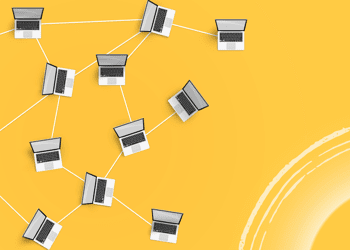
A VPL uses a layer‑2 connection over the provider’s MPLS or metro Ethernet network. For example, MHO’s EVPL allows your IT team to configure a single port at the hub and then extend Ethernet connectivity to multiple branch locations without managing individual links. All branch traffic aggregates through the hub, simplifying management and reducing port counts. At the technical level, carriers often use EoMPLS or VPLS (virtual private LAN service) to build these connections.
Because a VPL does not traverse the public internet, it does not require encryption or tunneling to keep data private. Instead, privacy derives from physical separation and provider controls. For industries with strict compliance requirements such as finance, healthcare or government, this isolation provides a critical safeguard. A VPL feels like a dedicated leased line but without the cost and time required to lay fiber across every location.
What is a business VPN?
By contrast, a virtual private network (VPN) is a software‑defined service that establishes an encrypted tunnel over the public internet. A VPN is an internet security service that creates an encrypted connection between user devices and one or more servers. Businesses use VPNs to give remote workers access to internal applications or to build a shared network between multiple offices. Because remote workers cannot plug directly into the corporate LAN, a remote access VPN allows them to use home or public Wi‑Fi while keeping sensitive data hidden from eavesdroppers.
There are two main types of business VPNs:
- Remote access VPNs. A user runs a VPN client on their laptop or mobile device. When they connect, the client forms an encrypted tunnel to a network access server (NAS) at the company’s edge. The tunnel encrypts all traffic, allowing remote workers to work securely even on public Wi‑Fi, and the NAS enforces access policies.
- Site‑to‑site VPNs. These create a single virtual network between different geographic locations. VPN clients run on each office’s router rather than on individual devices; employees inside each site connect normally to their local network, and the router transparently tunnels inter‑office traffic. TeleGeography describes IP VPNs as layer‑3 services that tunnel over public or carrier networks and are widely available across geographies.
Business VPNs are popular because they are relatively inexpensive and flexible. Workers can connect from any location with a basic internet connection, and there is no need to lease dedicated lines. The most common use case is to let employees securely connect to the company’s internal network and transfer sensitive business information. Employees traveling overseas can use a VPN to avoid geographic content restrictions, and small firms can extend their networks to branch offices without buying expensive circuits. VPN services also offer pricing options that fit companies of all sizes.
Limitations of business VPNs
Despite their flexibility, VPNs are not perfect. VPN credentials can be a single point of failure; if attackers steal a remote worker’s VPN credentials, they can access everything on the network. Because VPN gateways often reside in a distant data center, they can introduce latency penalties for every request. Modern cloud applications may not work well over a VPN, and replacing or upgrading on‑premises VPN hardware can be costly for IT teams. Remote access VPNs are not optimized for cloud traffic and can suffer from performance degradation due to the hub‑and‑spoke architecture. Employees sometimes disconnect from slow VPNs to improve productivity, undermining security.
VPNs also require constant management. IT teams must install clients on every remote device, ensure up‑to‑date encryption, manage certificates and rotate secrets. When mobile devices go to sleep or switch networks, the VPN session can drop, forcing the user to reconnect. For high‑bandwidth applications like video conferencing or real‑time data analytics, VPN tunnels may not deliver the symmetrical, low‑latency performance that dedicated circuits provide.
Virtual private line vs. business VPN
Scope of connectivity. A VPL creates a private point‑to‑point or hub‑and‑spoke path between defined locations. Its capacity is provisioned and guaranteed. A business VPN uses the public internet to connect users or sites. It may span geographic locations worldwide, but performance varies with internet conditions.
Security model. VPLs rely on physical or logical isolation. Because traffic never touches the public internet, there is no need to encrypt every packet; sensitive data remains within a closed environment. VPNs rely on encryption to secure data over public links and may be vulnerable if credentials are compromised.
Performance. VPLs offer symmetrical bandwidth and low latency. MHO’s EVPL uses carrier‑class full‑duplex radios, enabling voice and video applications to run successfully. EVPLs support speeds from 10 Mbps up to 100 Gbps and provide a reliable link for credit card processing, file sharing and video conferencing. VPNs are constrained by the underlying internet connection and may suffer from congestion or inconsistent throughput.
Management and scalability. With a VPL, a single hub port can aggregate multiple branch locations, reducing the number of devices your IT team must manage. VPNs require client software on every remote worker’s laptop or mobile device, plus hardware or cloud servers to terminate the connections. As your workforce grows, you may need additional VPN gateways to handle the load.
Cost considerations. VPLs usually cost more than VPNs per megabit because they are delivered over dedicated infrastructure. However, because they replace multiple leased lines or reduce cloud egress costs, they may be more cost‑effective for high‑bandwidth or latency‑sensitive workloads.
When should your business use a virtual private line?
A virtual private line is not the right choice for every scenario, but it excels in specific use cases:
- Connecting multiple sites with high performance needs. If your company has branch offices or data centers that frequently exchange large amounts of data such as file syncing, database replication or real‑time analytics, a VPL provides predictable bandwidth and low latency.
- Running latency‑sensitive applications. MHO emphasises that its EVPL supports video conferencing, VoIP, SaaS and cloud applications. Because the connection is symmetrical and private, audio and video packets are not competing with other internet traffic. EVPLs provide quality of service (QoS) mechanisms to prioritize critical applications.
- Meeting security and compliance requirements. Industries like finance, healthcare and government require secure channels for sensitive data. EVPLs keep traffic off the public internet and offer an inherent level of security and reliability. For financial transactions, EVPL ensures confidentiality and integrity; in healthcare, it protects patient data as electronic health records move between facilities.
- Supporting cloud connectivity. VPLs can integrate with cloud providers or data centers to create private on‑ramps for cloud applications. This reduces exposure to the public internet and provides consistent performance.
- Simplifying network management. Because a VPL aggregates traffic through a hub and avoids complicated tunneling protocols, it simplifies management and reduces overhead. EVPLs offer a level of security without requiring traffic encryption, simplifying the network.
When should your business use a business VPN?
While VPLs shine for site‑to‑site connectivity, VPNs are indispensable in many situations:
- Empowering remote workers. The pandemic showed how critical remote access VPNs are. Virtual private networks spiked in popularity as businesses kept workers productive during stay‑at‑home orders. VPNs allow users to log on from any location (home, hotel, plane or coffee shop) and once authenticated they have full access to email, internal applications and data. This flexibility is vital for hybrid work and mobile employees.
- Securing public Wi‑Fi and untrusted networks. A VPN service encrypts traffic over the public internet, protecting sensitive data from hackers who might be lurking on a public network. Employees traveling abroad can safely use public Wi‑Fi while ensuring their communications are confidential.
- Extending your network to mobile devices. Business VPNs support laptops, tablets and smartphones. Users install a client, and the VPN connects them to the corporate network. However, organizations need to consider user experience; mobile devices often drop connections when they go to sleep, requiring reconnections.
- Cost‑effective expansion to remote offices. Instead of deploying leased lines, small and medium‑sized businesses can use site‑to‑site VPNs to connect branch offices over existing internet links. This approach reduces capital expenditure and offers geographic flexibility.
- Protecting remote access with multi‑factor authentication. Verifying user identity is just as important as encryption. Multi‑factor authentication (MFA) is recommended so a user must submit a second factor such as a code sent via an app or biometrics before gaining access to the VPN. MFA is part of a Zero Trust approach that assumes users are untrusted until verified.
Best practices for choosing between VPL and VPN
- Assess your traffic patterns. If most traffic flows between fixed sites, consider a VPL for its guaranteed bandwidth and low latency. If your users primarily access resources from home or mobile devices, a VPN may suffice.
- Consider hybrid approaches. Many enterprises use both. For example, you could deploy a VPL between data centers and major branches while using a remote access VPN for mobile employees. MHO’s VPL can form the backbone and still integrate with cloud or SaaS applications.
- Plan for security layers. Even with a VPL, sensitive data should be encrypted end‑to‑end. For VPNs, enforce strong passwords and MFA. Regularly update clients and retire unsupported protocols.
- Evaluate cost versus benefit. VPLs may require higher upfront cost but offer reliability and performance that can reduce downtime and improve productivity. VPN solutions are more affordable but may incur hidden costs from latency or management overhead.
![[Infographic] Fixed Wireless: What You Need To Know](https://blog.mho.com/wp-content/uploads/2017/06/Screenshot-2025-06-24-141710.png)

![[Infographic]: What is Microwave Transmission](https://blog.mho.com/wp-content/uploads/2017/10/Screenshot-2025-06-24-141523.png)
![[Infographic]: Fiber Vs. Fixed Wireless: What You Should Know](https://blog.mho.com/wp-content/uploads/2017/10/Screenshot-2025-06-24-141442.png)